Jellyfin app for Mac: the free way to watch your library
How to watch Jellyfin on a Mac — install Swiftly Player free, sign in with Quick Connect, and three other good clients to know about.
By Swiftly Player2 min read

Disclosure: we build Swiftly Player, one of the clients in this article. We point out where other apps do better.
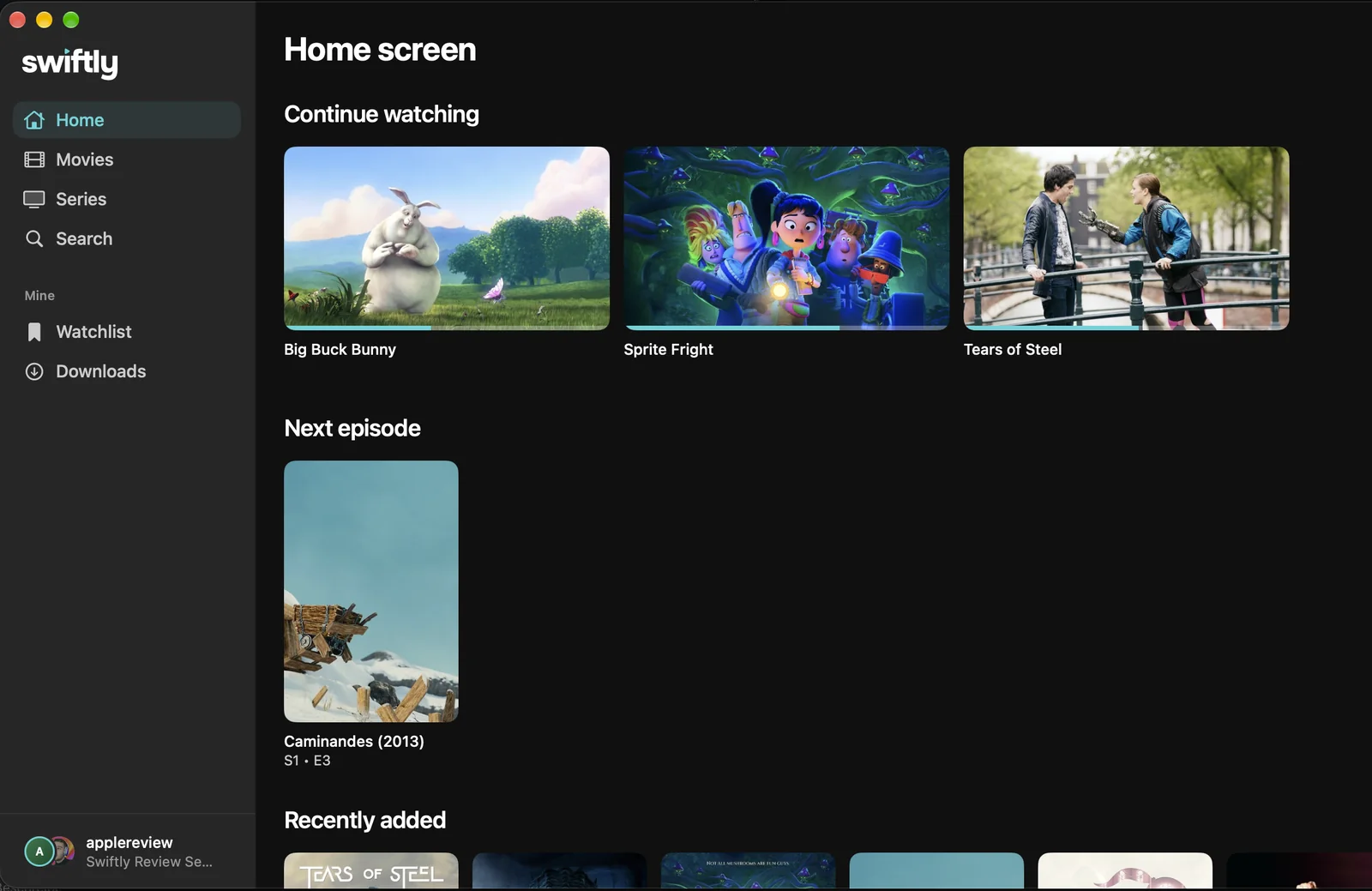
Jellyfin's web client works in any Mac browser, but a native app plays more without asking the server to transcode. Swiftly Player is a free one: VLC for Direct Play, Picture in Picture with the same player, downloads for offline viewing, and it remembers your audio and subtitle choice per series. The same app runs on iPhone, iPad, Apple TV, Windows and Linux, and on Android in a closed test.
Set it up in 3 steps
- Install. Get Swiftly Player free from the Mac App Store.
- Connect. Enter your server address, or choose Quick Connect and approve the code from your phone.
- Watch. Pick a title from your library and press play.
What you get
- Direct Play through VLC, so the server does not transcode
- Skip Intro, Skip Recap and Skip Credits, plus automatic next episode, from Intro Skipper data
- Audio and subtitle choice remembered per series
- External subtitle files
- Multiple servers and accounts at once
- Quick Connect sign-in
- Requests through Seerr without leaving the app
- Resume on this device: pick up a film paused on your phone or Apple TV with one tap
- Downloads for offline playback, and Picture in Picture
- Free, no account with us, no tracking
Other good options
- Infuse — a Mac Catalyst app, free to install, with an optional Infuse Pro subscription. App Store
- Fladder — a Flutter app with a native macOS build, free, with downloads and Seerr. GitHub releases · source
- Jellyfin Desktop — the Jellyfin project's own client, the web interface in a window with libmpv for playback. GitHub releases
The full comparison: Best Jellyfin client for Mac.
FAQ
Does Direct Play work in 4K and HDR on a Mac?
In most cases, yes. Swiftly asks the server for Direct Play first and plays through VLC, which handles MKV, HEVC, AV1, VP9, DTS, TrueHD and PGS subtitles on the Mac itself, so the server does not have to convert the file. The limit is the hardware: a very heavy 4K file can be more than an older device decodes smoothly, and whether HDR shows as HDR also depends on the screen.
Does Swiftly Player cost anything?
No. It is free, with no subscription, and no account with Swiftly itself.
Can I download shows to watch without a connection?
Yes, on Mac. A download uses whichever version you picked for playback, so a title with more than one available quality lets you choose which one to keep offline. See how downloads work across Jellyfin clients, and how Quick Connect signs you in without typing a password twice.